Background
CELLINK builds bioprinters like LUMENX to create complex biological structures. The hardware is precise; the software that runs it has to be too. But the people operating it — scientists, QA testers, software testers — were spending more time fighting the UI than the science.
Problem statement
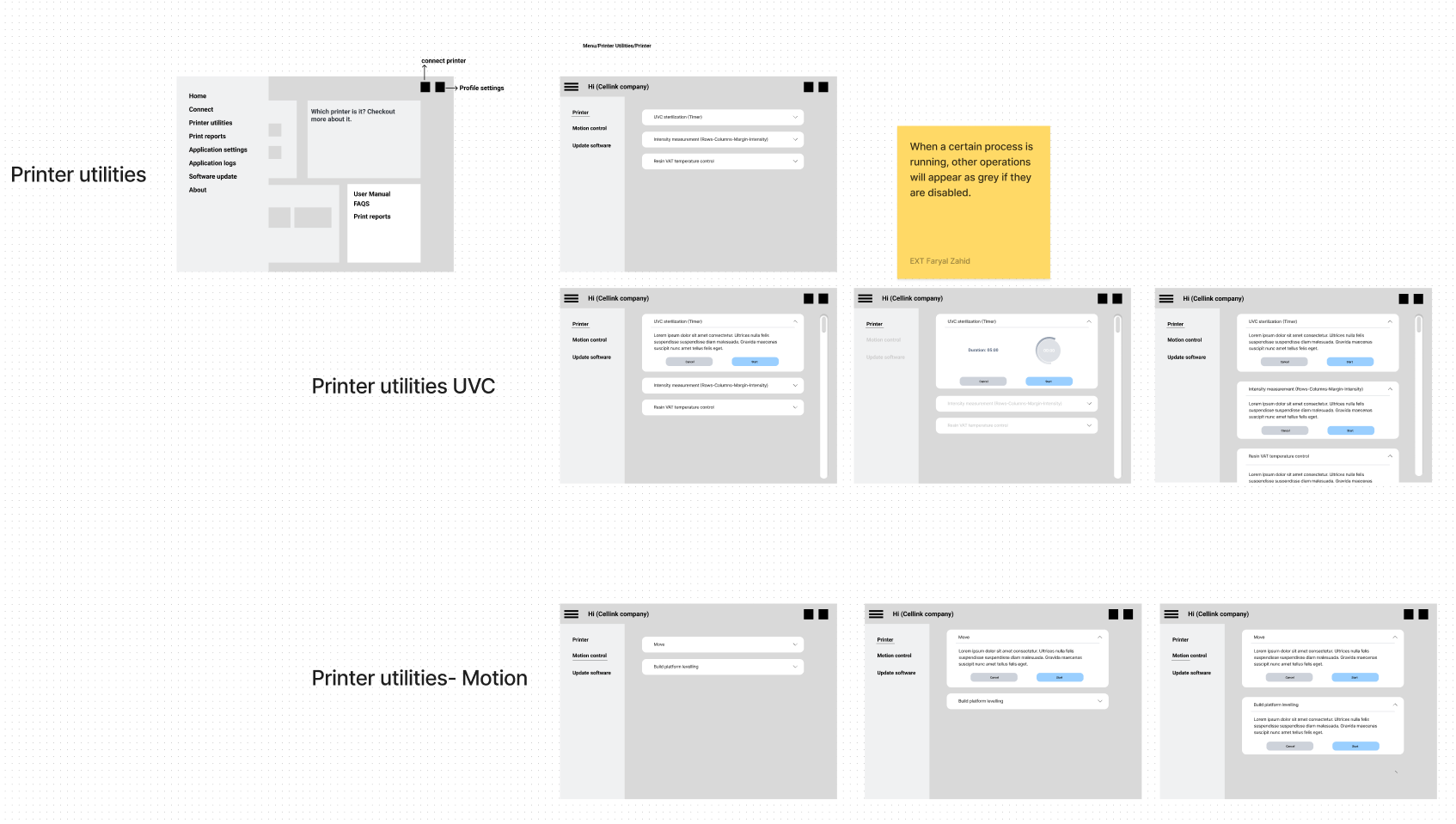
Users couldn't tell which actions were permissible during different stages of a print. That led to:
- Redundant actions — repeating steps because feedback was unclear
- Errors — conflicting operations that wasted material and compromised results
- Frustration — trial-and-error became the default way to learn the product
Example
Updating software from the “About” page left the printer-utilities menu fully interactive. If a user touched anything there, the progress bar disappeared and the update broke. Engineering had struggled to fix it because the root cause was interaction design, not code.
Objectives
- Reduce redundant actions through clear interaction guidelines
- Minimize errors caused by conflicting operations
- Increase overall satisfaction by making the rules of the system visible
Research & insights
Target users
- Scientists running prints
- Quality assurance testers
- Software testers
Feedback highlights
“While using the printing protocols, if I go to the previous step I lose critical information and have to start over.”
“Why am I not able to use printer-utility options during the main protocol?”
Key issues identified
- Redundant actions from unclear feedback
- Errors caused by conflicting operations
- Interaction clarity — no signal for what was actually allowed
Hypothesis
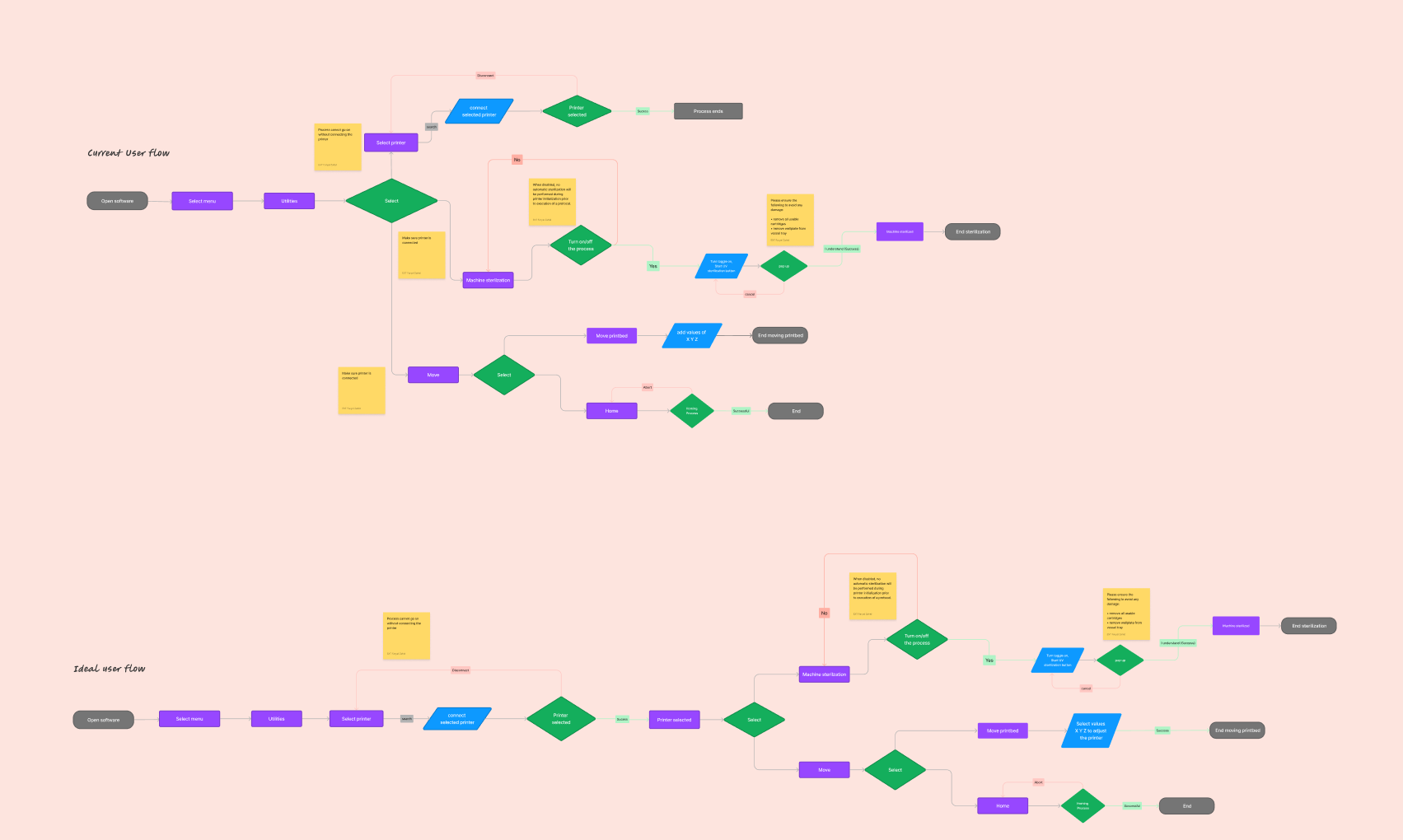
- Visual indicators — red and green lines to mark restricted and permissible actions would reduce redundant steps.
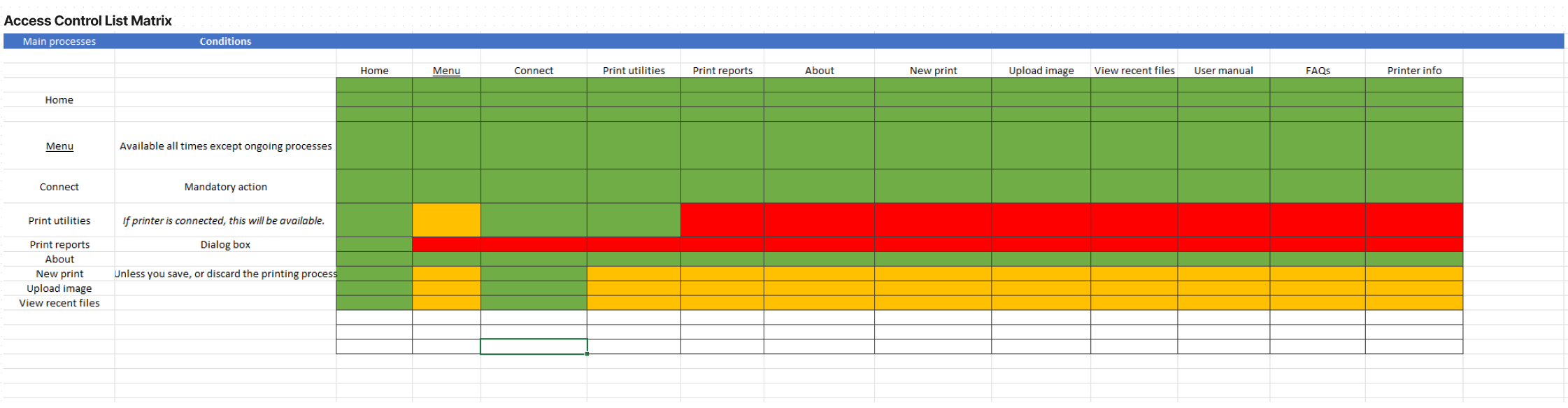
- Access Control List (ACL) matrix — a single reference for what's allowed at each stage would lower error rates.
Design & methodology
Dynamic visual indicators
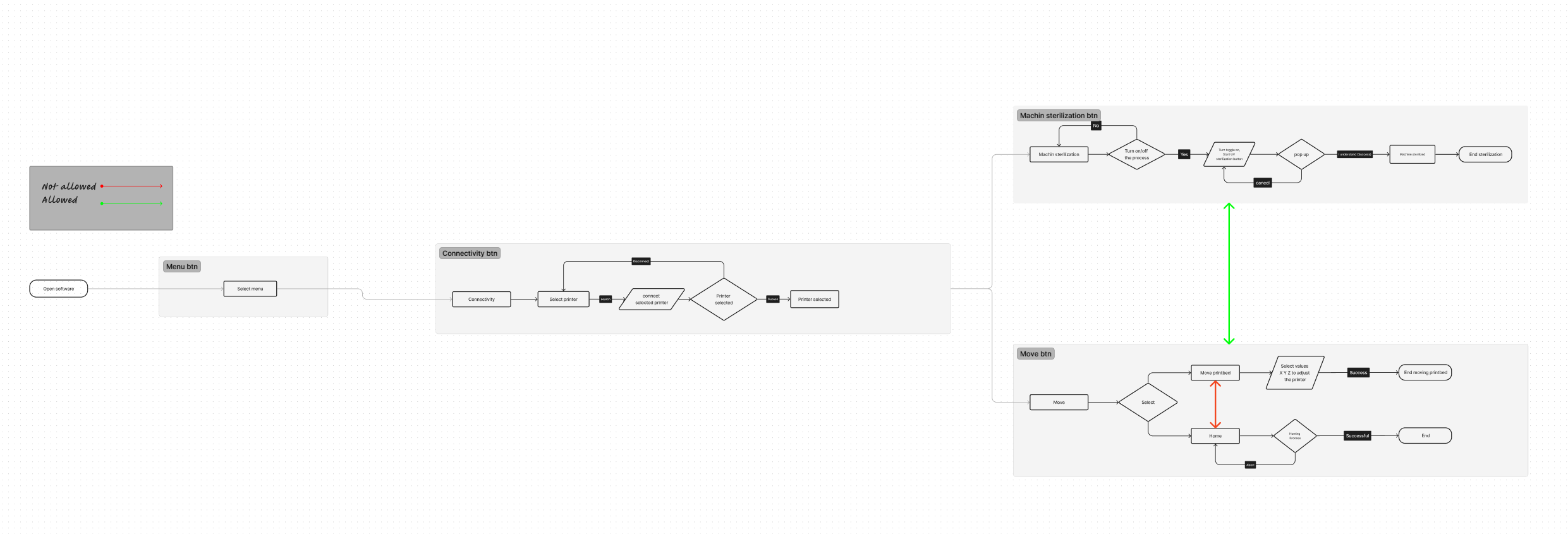
- Red lines — restricted interactions; the UI actively prevents disruptive actions.
- Green lines — permissible interactions; a guided path through each step.
Access Control List matrix
- A centralized reference of permissible actions per system state
- Simplified communication between engineers and non-technical users
- Empowered users to make informed decisions in context
Implementation
- Prototyping — user flows integrating the red/green system, plus an interactive ACL matrix in the UI.
- Testing — usability sessions measured the impact of indicators and the ACL matrix with both quantitative and qualitative data.
- Iterative refinement — adjustments based on tester feedback to fit existing scientific workflows.
Results
- 50% reduction in redundant actions
- 35% decrease in error rates
- Measurably higher user satisfaction across scientist and QA cohorts
Key takeaways
- User-centric design uncovered impactful, low-cost solutions.
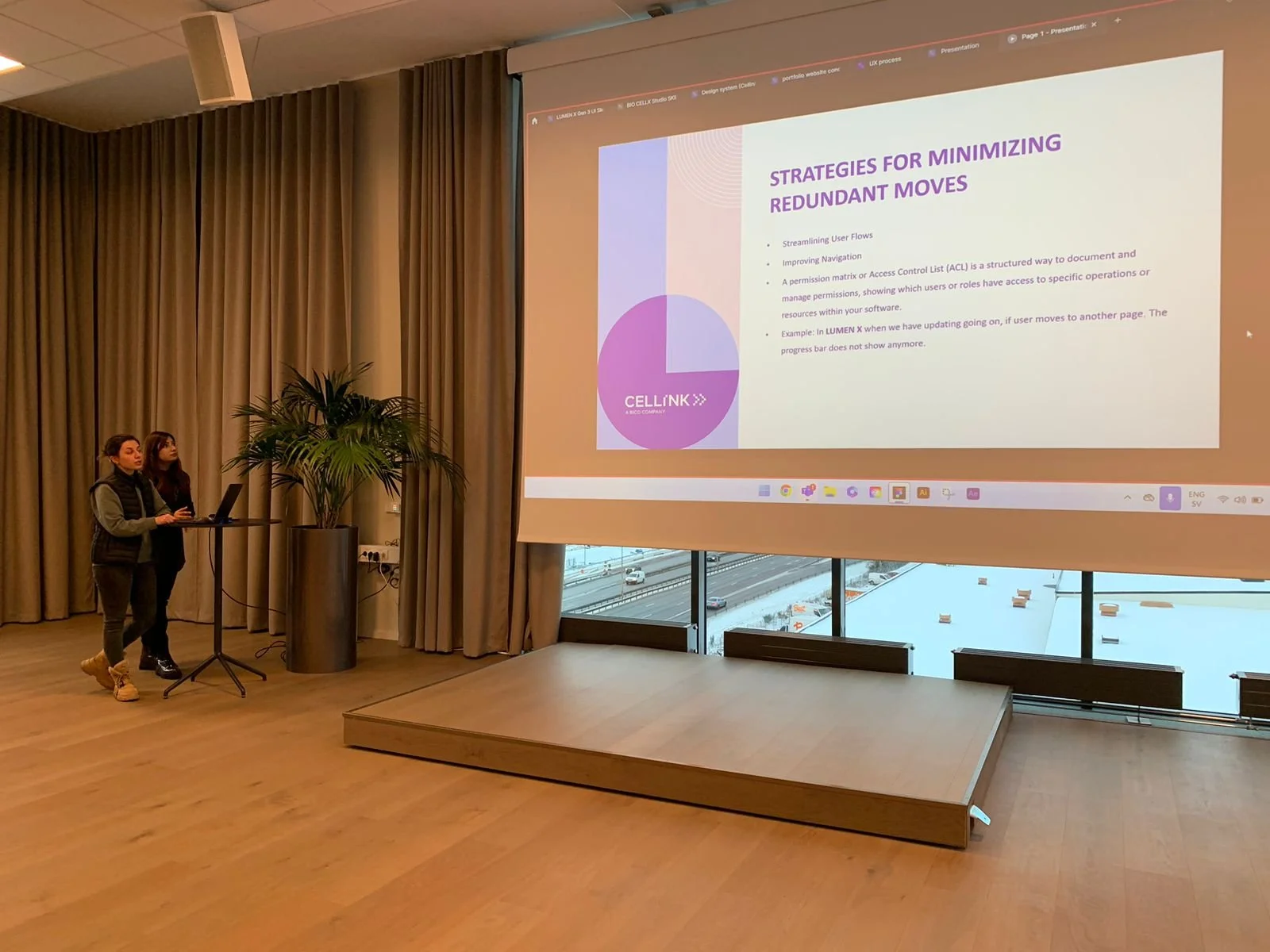
- Cross-team collaboration between engineers and users bridged the communication gap.
- Proactive problem-solving — visualizing constraints made a complex system feel knowable.
Conclusion
This project tackled a real, high-stakes usability problem — the kind where a missed click wastes hours of lab work. Pairing visual interaction language with a structured ACL matrix gave scientists confidence in the software, and helped CELLINK keep its focus where it belongs: on the science.